
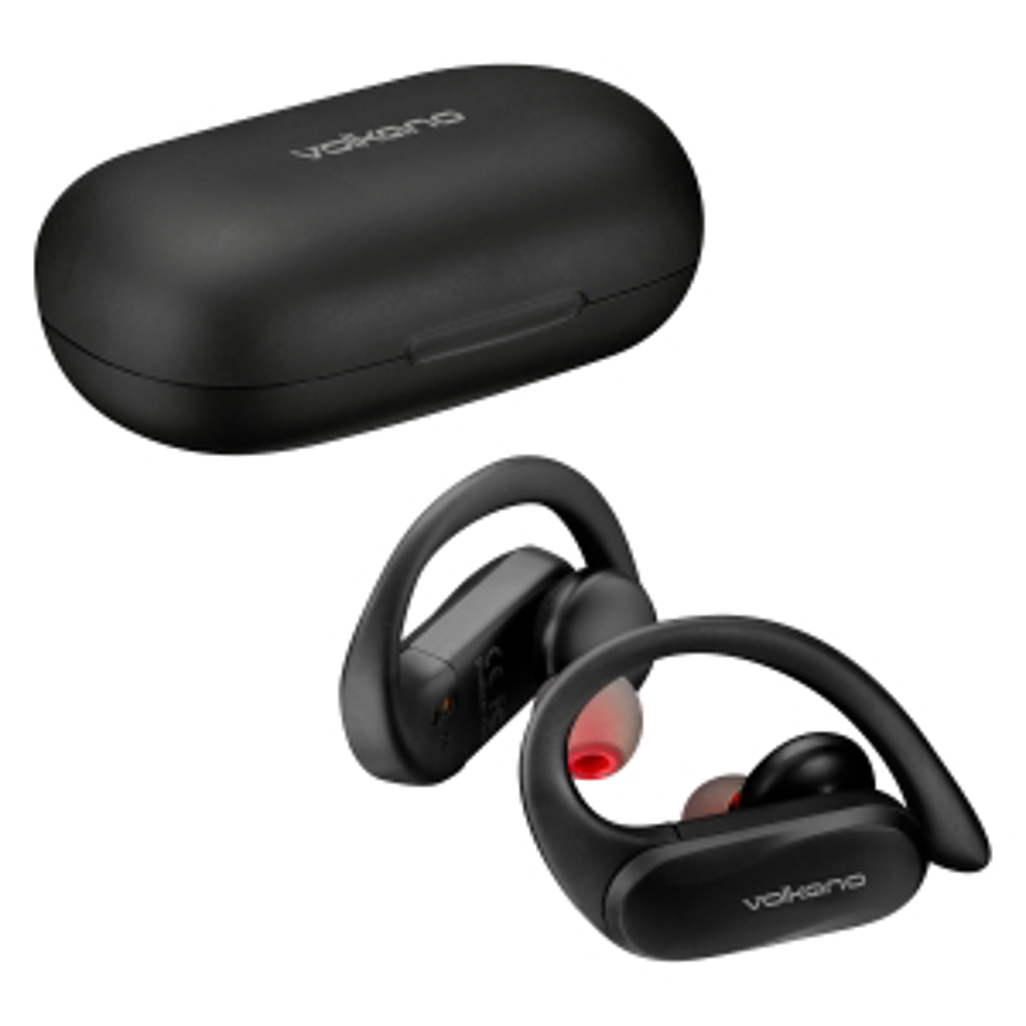
FEATURES
- True Wireless Earphones: Enjoy complete freedom with True Wireless Stereo connectivity.
- Extended Playtime: The charging case provides up to 24 hours of playtime, ideal for all-day use.
- Sports Stabilizer Hooks: Ergonomic design keeps the earbuds secure during movement.
- Touch Control: Easily manage music, volume, and calls with intuitive touch controls.
- Compact Charging Case: Protects and charges your earbuds, saving space and offering portability.
- Voice Assistant Compatible: Works seamlessly with Siri and Google Assistant for hands-free operation.
Durability and Performance:
- IPX4 Splash Resistance: Suitable for workouts and light rain but not for full submersion in water.
- Soft, Adjustable Ear Hooks: Provide a secure and comfortable fit for active lifestyles.
- Three Sizes of Ear Tips: Ensures a personalized fit for better sound isolation and comfort.
Battery and Charging:
- Earbuds: Offer 5-6 hours of playtime per charge.
- Charging Case: 500 mAh battery provides four additional charges, extending the total playtime to 24 hours.
- Quick Charging: Fully charge the earbuds within 1-2 hours using the included USB cable.
CHARGING THE CASE
-Please ensure that the battery is fully charged before using the device for the first time.
-Connect the provided USB charge cable to the DC 5 V charging slot on the charging case, connect the other end of the USB to a wall charger or an available USB port on a compatible device.
-The red LED indicator light will pulse to indicate that charging has begun.
-The LED indicator will pulse repeatedly to indicate that the battery is flat.
Note: Once fully charged, the red LED will display in a solid light.
CHARGING THE EARPHONES
-Please ensure that the battery is fully charged before using the device for the first time.
-Place the earphones into the charging case. A red light will turn on when the charging has begun. The red light will stay lit while charging and will turn blue when the charging is complete.
-When the earphones are removed from the charging case, they will power on automatically.
Note: The earphones will turn off when inserted into the charging case, even if they are powered on before charging.
Usage Instructions:
- Pairing: Ensure the device’s Bluetooth is on and pair with “Sprint 2.0”. Confirm pairing when you hear “Connected”.
- Powering On/Off: Hold the Multi-Function Touch Button for 3 seconds to power on and 5 seconds to power off. The earbuds turn off automatically when placed in the charging case.
- Charging: Place earbuds in the case for charging. The red LED indicates charging, and it turns blue when fully charged.
Troubleshooting Tips:
- Device Not Found: Ensure the earbuds are in pairing mode and within range.
- Pairing Issues: Check that your device allows new connections and supports required Bluetooth profiles.
- No Sound or Calls: Ensure your device supports A2DP and HSF profiles and is within range.
- Driver Requests: Find compatible drivers online for your computer if needed.
- Remote Control Functions: Ensure your device supports AVRCP for remote control features.
Typical issues people have with wireless earphones :
- Charging Issues: Confirm the charging case and earbuds are fully charged before use.
- Earbud Power On/Off: Make sure to follow the correct steps to power on the earbuds and check for any debris on charging contacts.
- Touch Control Problems: Clean the touch areas and ensure they are dry for better responsiveness.
- Connection Problems: Reset the earbuds and re-pair if connection issues persist.



Reviews
There are no reviews yet.